Custom colors for highlighting cells in Excel are available.
It works if you apply one of the Standard Colors in Excel (or you can click More Colors and select any of those, as long as it's not one of the Theme Colors).
The custom colors will be displayed the same way both on web and in the PDF. 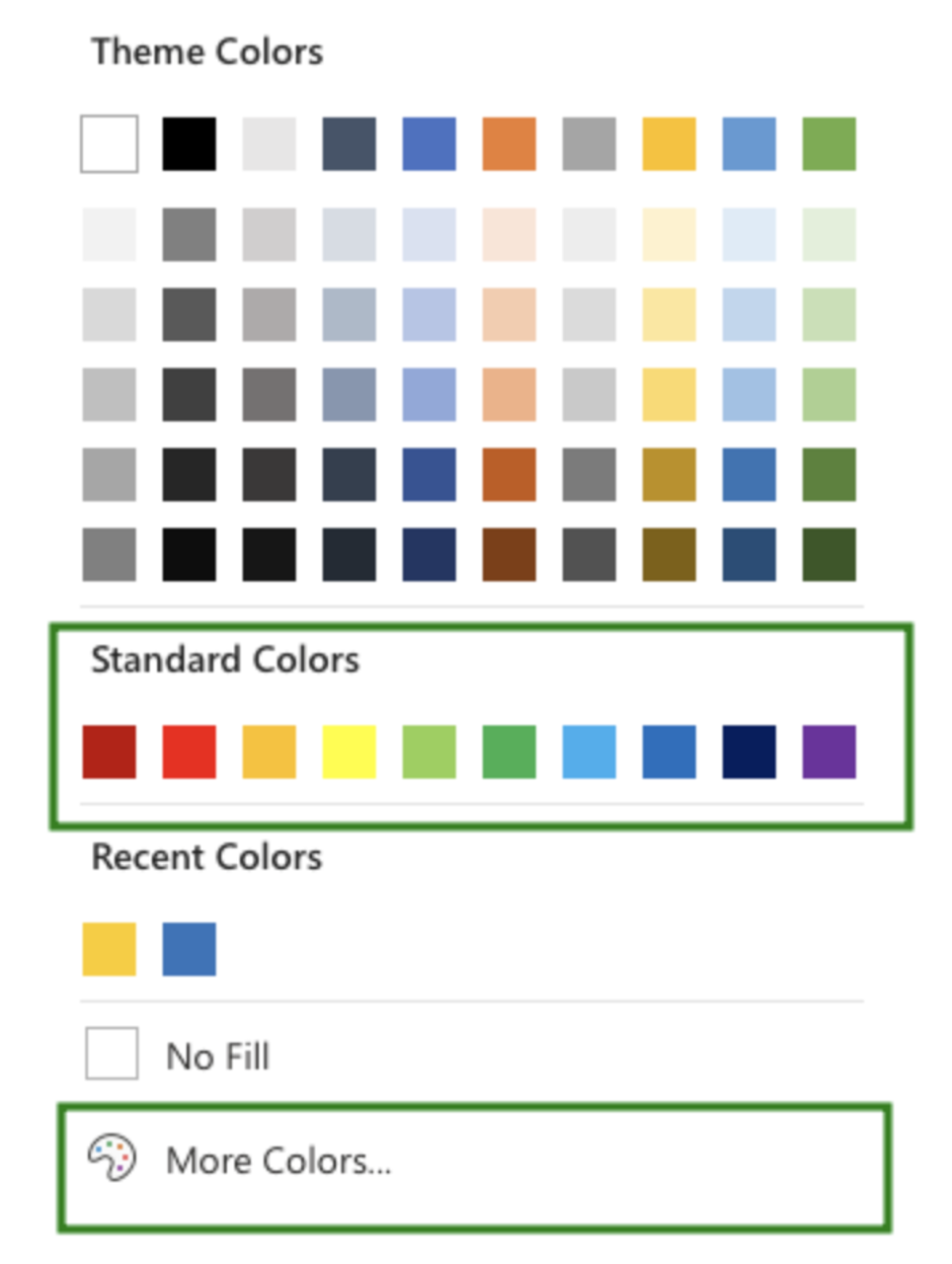
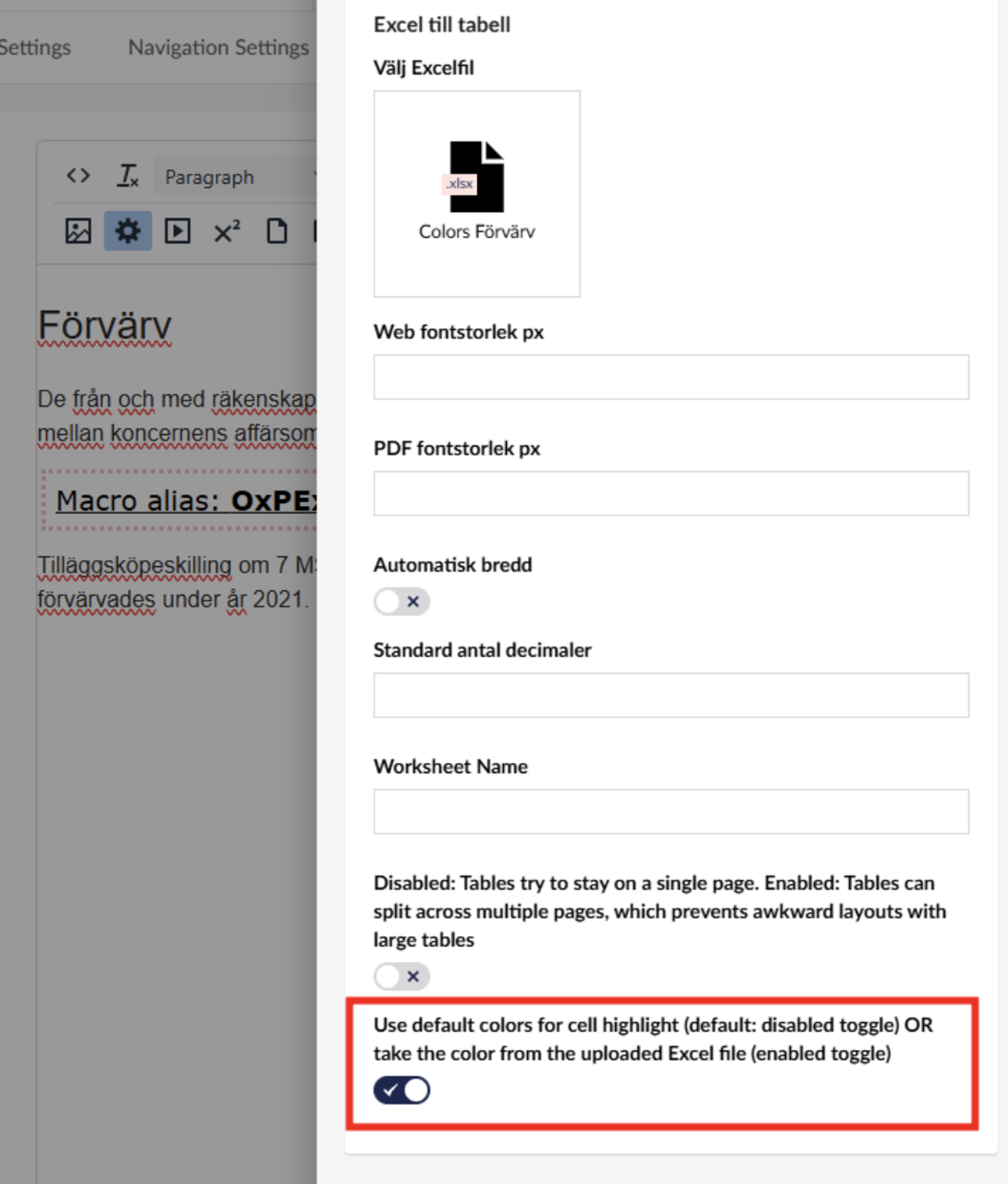
Then, when you upload the Excel file in Macros, you need to enable the toggle below.
This ensures that the existing files and pages using the old logic remain unaffected, and the new feature will only be used where necessary.
Senast uppdaterad: 2025-03-17 13:24:39 av Alexander Paziraei