Upload PDF front and back
Here is how to upload the front and back pages of the automatically generated report. Note that this is not common for quarterly reports .
This part requires that you have a manually produced pdf front page (a pdf on an A4 page), and a corresponding back page. Before you have the design ready, it is good to upload test pdfs, and then replace them when you have the design ready for the front and back of the report.
1. Go to Content, and then click the start node for the report.
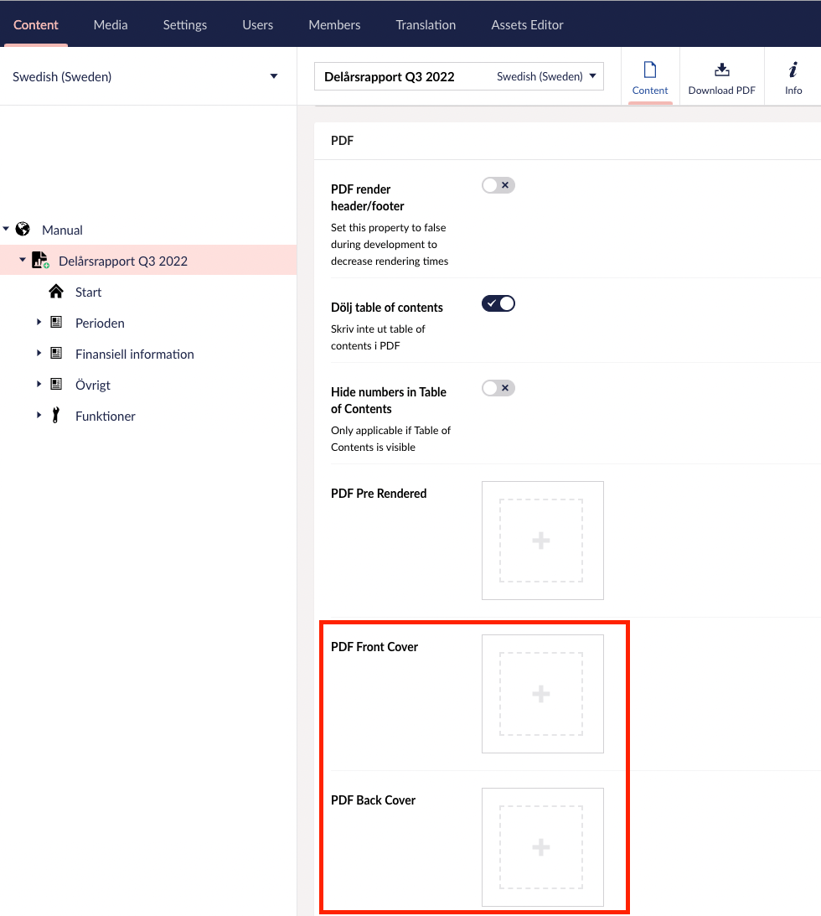
2. Then scroll down to the section called "PDF". There you upload your intended front and back. Note to differentiate between the English and Swedish versions if you have chosen to have your annual report in both languages.
3. It should now work to download an automatically generated pdf of the annual report with the "Download pdf" button in the preview.