Make the page visible to the public (remove password)
In the report, we work with pages that are live but have password protection on content and media so that they cannot be accessed by the public. When you are ready to make the report visible to the public, simply remove the password protection.
-
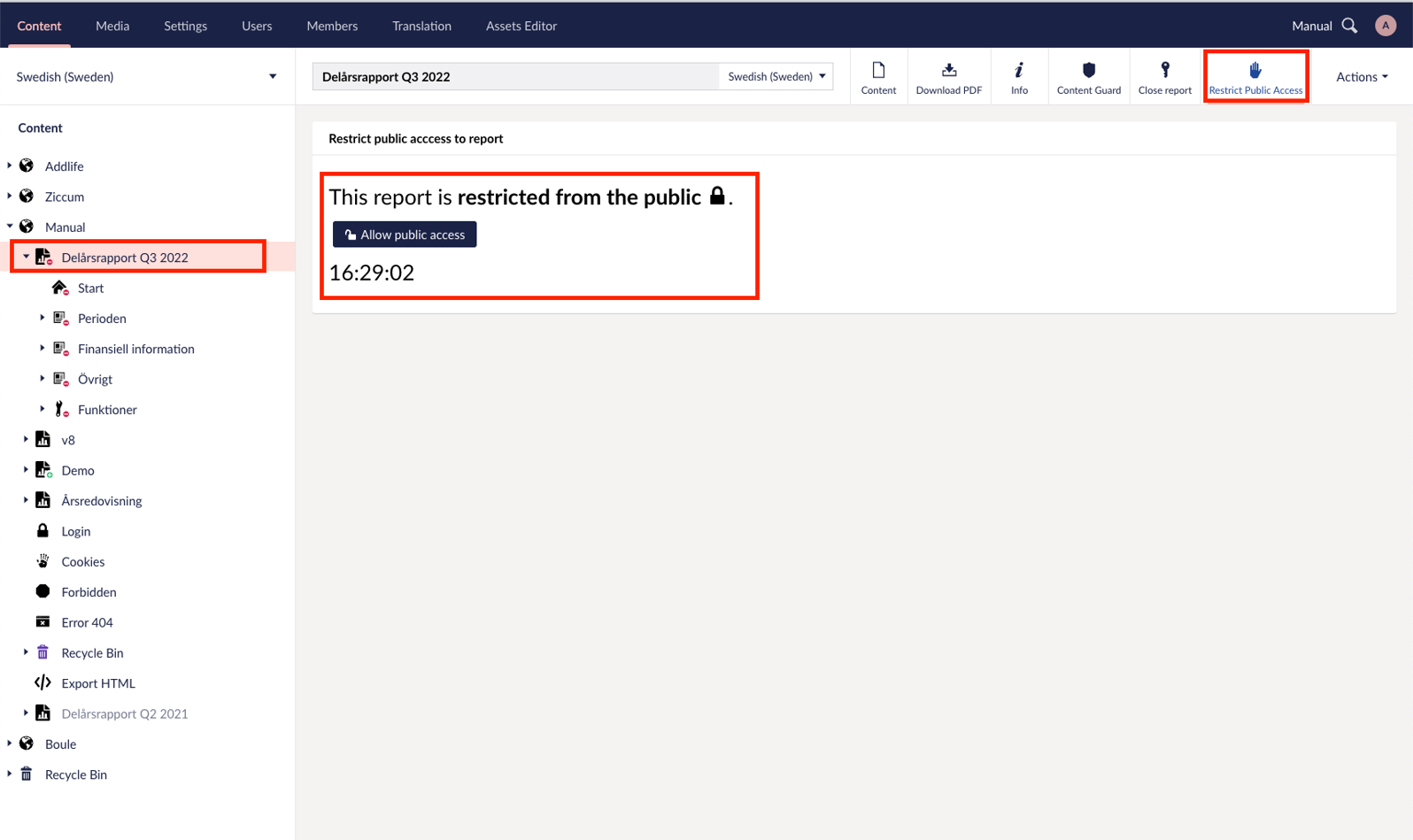
In content: right-click the top node of the report.
-
Select " Restrict public access " in the menu at the top right.
- Here you see the time and button to make the report available to the public. Note that never release the report before the press release has expired.
-
Click on " Allow public access " and confirm with "OK" in the box that appears.
-
The report is now visible to the public.
Latest updated: 11/13/2024 2:20:43 PM by claudia.iuvara@oxkom.se