Before publishing: Upload finished pdf documents
When the report is completely finished and no new changes are to be made, it is time to upload fixed PDFs. These are uploaded to speed up the download for visitors as they do not have to wait for the report to be generated each time.
1. Upload the finished PDF reports in Media .
2. Go to the report node (eg Interim Report Q2 2022) and scroll down to the PDF section.
3. Here you select the Swedish PDF and the English as finished reports.
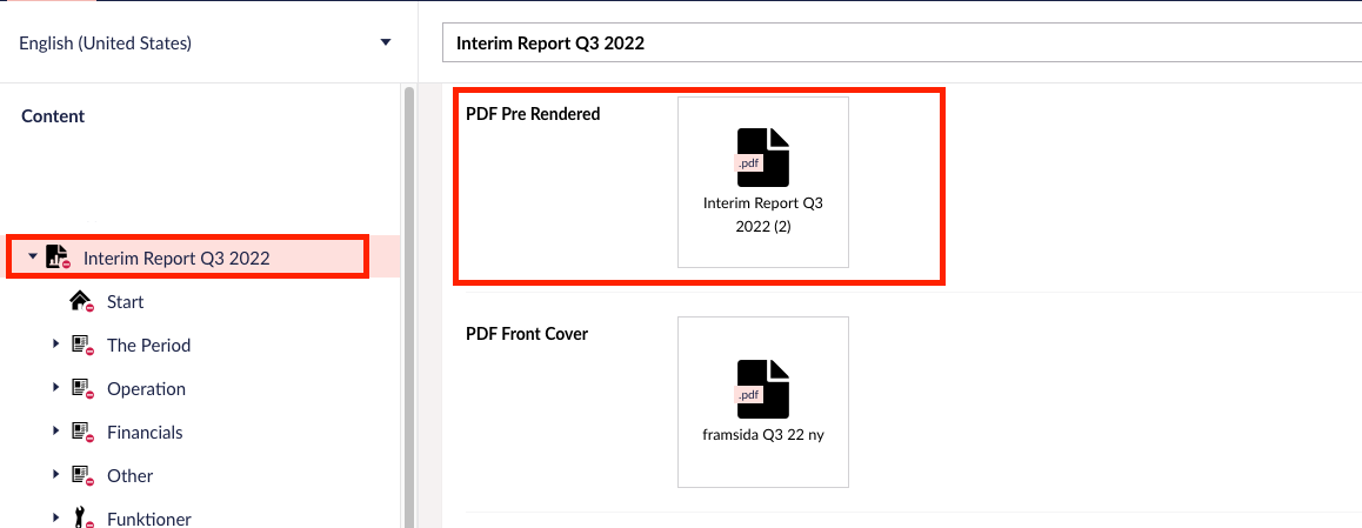
ATTENTION! As long as there are pdfs uploaded in these nodes in the media library, download will retrieve the fixed PDF. If you still need to make a change to download a newly created pdf, you need to remove the files in these nodes for the pdf generator to work normally.
For annual reports : Go to the respective main node in content. Then go to the "PDF" tab and upload PDFs for each section.