A. Create and format the Excel file
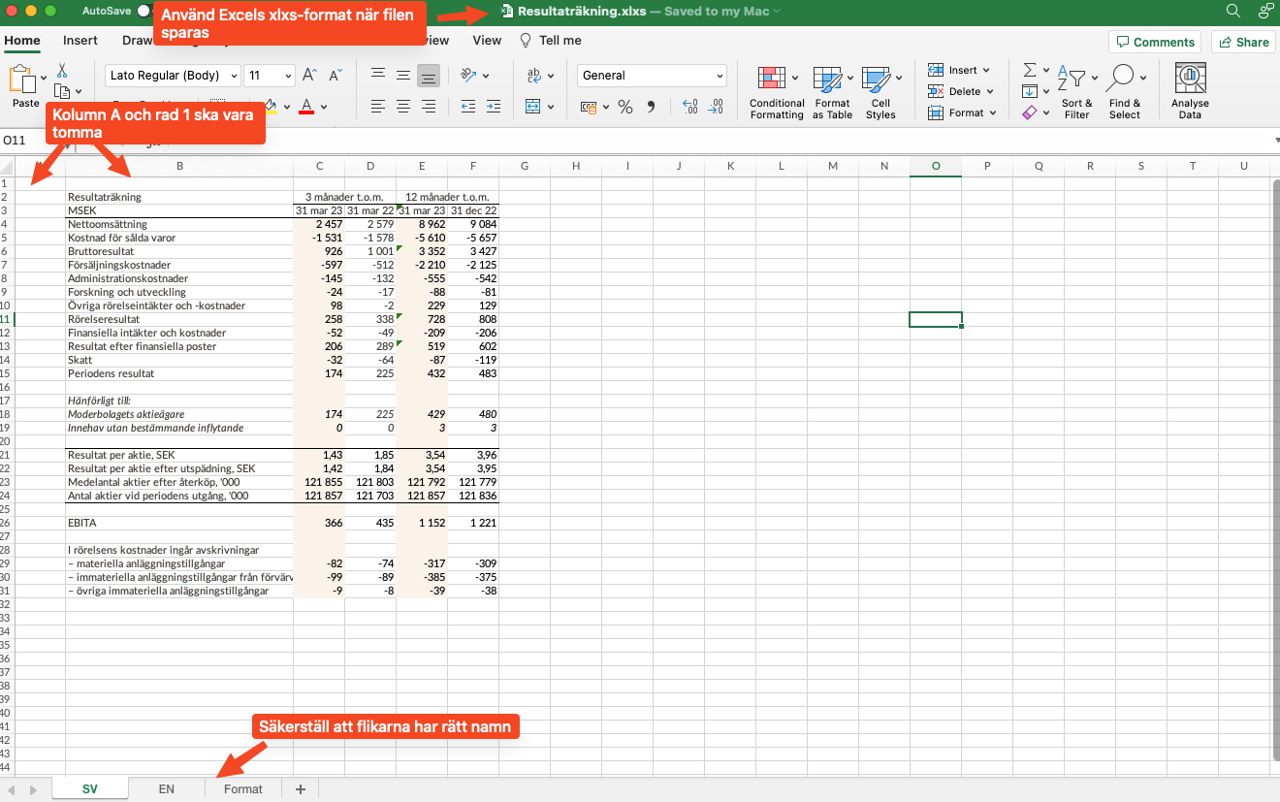
1. Create an Excel file and fill in the desired table content. Follow the format described below:
- Column A and row 1 should be empty.
- Use Excel's xlsx format.
- The Excel file should have three tabs.
2. Name the tabs "SV", "EN" and "Format" (it is important that the names are exactly these for the table to work correctly).
- "SV" - Here you enter all content for the Swedish version of the table. Leave column A and row 1 blank to match the Format sheet.
- "EN" - For the English tab, the content from each cell is imported into the corresponding cell in the Swedish tab. If an English cell, e.g. B4, is empty, the content will be retrieved from the Swedish tab. In this way, you only need to fill in and change numbers in the Swedish tab. Numbers are automatically loaded in English format on the web page. Note that you need to have the same name for the "SV", "EN" and "Format" tabs.
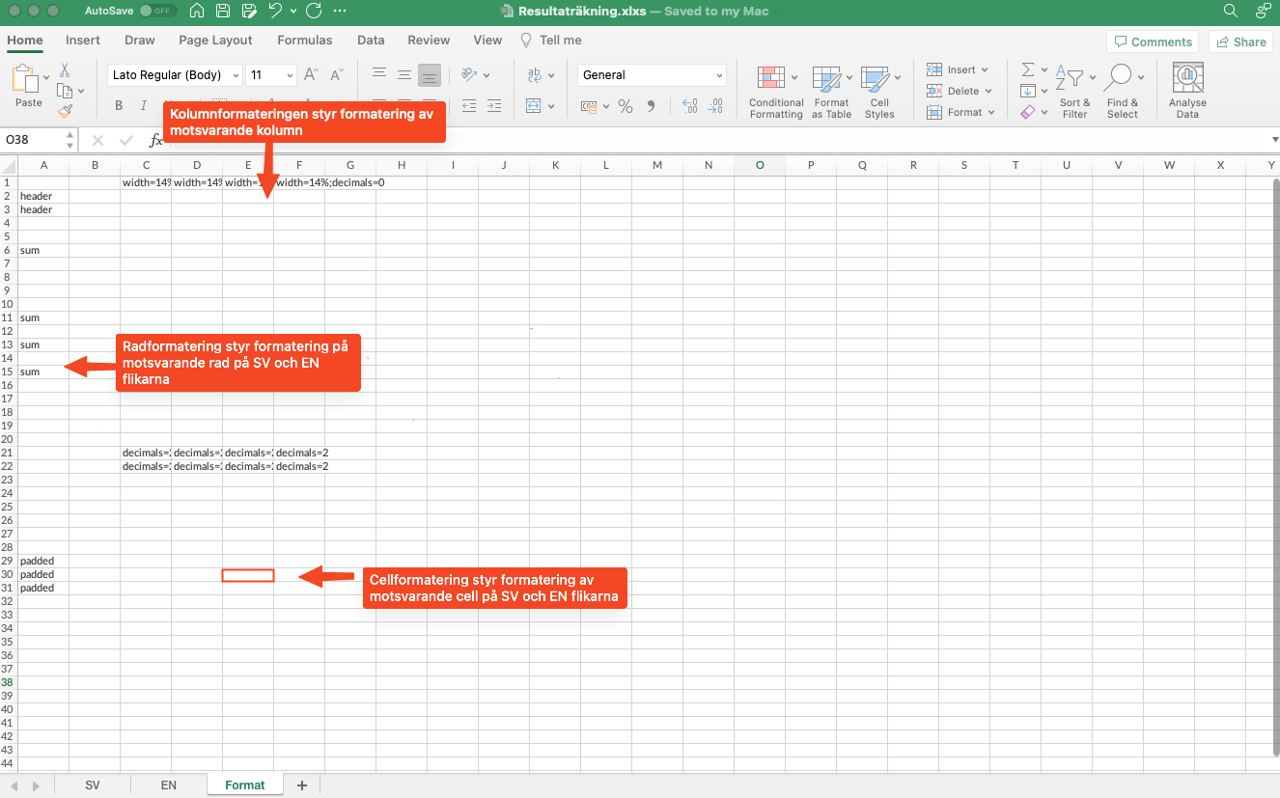
- "Format" - Here you enter format templates (see next page).
3. Format the table:
- Formatting should primarily be done in the Format sheet. The data sheet must be completely unformatted.
- Each formatting command in the Format sheet controls the corresponding cell, row, or column in the Data sheet. The format templates work in the same way as in Word, where you can change the appearance centrally at the site level.
If necessary, some formatting can be done directly in the Data sheet. The macro will automatically load these formats.
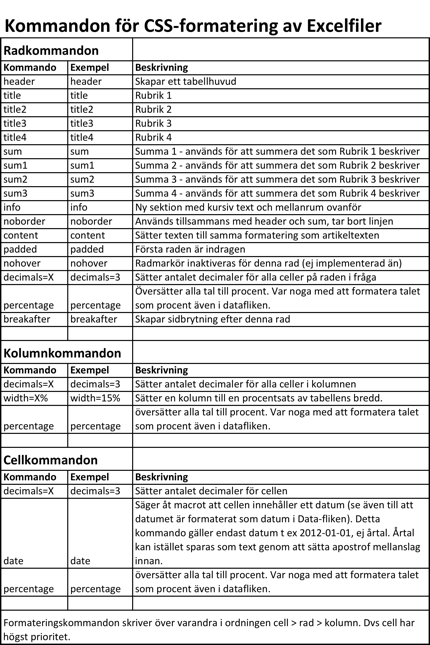
4. Column widths: To achieve a uniform appearance of the tables, default settings for column widths are used for tables with different numbers of columns. Note the following:
- First column: The width does not need to be set, the column takes the space left over.
- For tables with 3 columns: Set the width to 15% for the last two columns.
- For tables with 4 columns: Set the width to 15% for the last three columns.
- For tables with 5 columns: Set the width to 15% for the last four columns.
- For tables with 6 columns: Set the width to 12% for the last five columns.
- For tables with 7 columns: Set the width to 10% for the last six columns.
- For tables with 8 columns: Set the width to 10% for the seven
Latest updated: 11/13/2024 2:02:36 PM by claudia.iuvara@oxkom.se