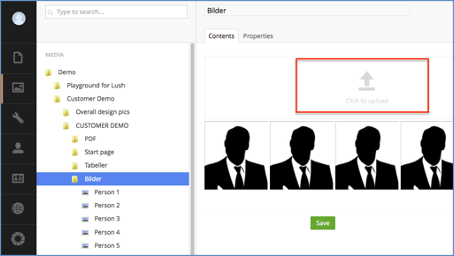
Upload a file to the media library
The media library is an important part of the website and acts as a "hard drive" where you can upload all the files used, including images, excel files, movies and PDF documents. You can choose to upload files directly in the media library or when you are in the editing mode of the content and need to insert an image or other file.
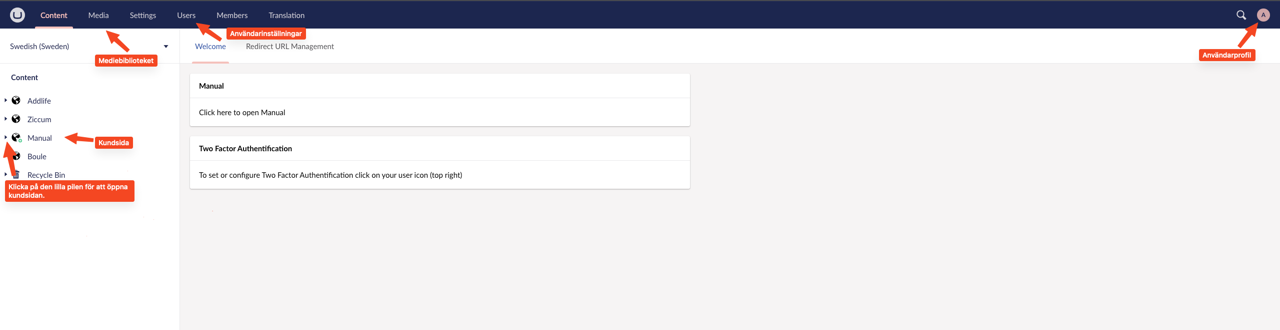
To upload a file to the media library, follow these steps:
-
First, navigate to the media library. You can find it by using the "Navigating Umbraco" section.
-
Scroll to and click on the folder where you want to place the file.
-
In the middle bar, select "Click to upload". You can then browse your computer to find the file you want to upload, and click "Open". Alternatively, you can drag and drop the file from your computer to the media library.
-
Click "Save" to complete the file upload.
Now the file has been uploaded to the media library in Umbraco and is ready to be used. You can then use the file in your content by following the sections on images and tables to learn how to add them from the media library directly to Content.